
Instructions for paying when you don’t have a PayPal Account.
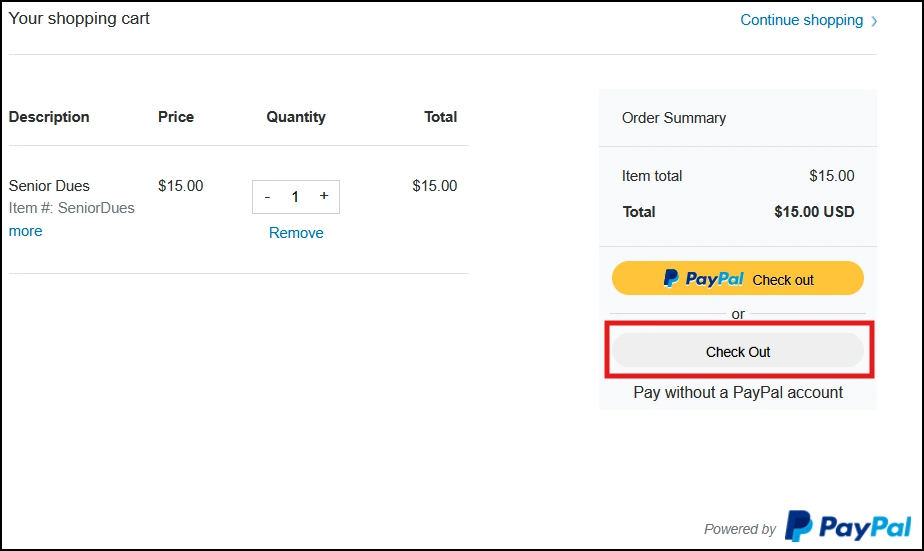
Step #1 – Select the membership type, and number of years, and click add to cart. Click on the “Check Out” button (Pay without a PayPal account).Please contact the Membership committee if you have any problems. |
 |
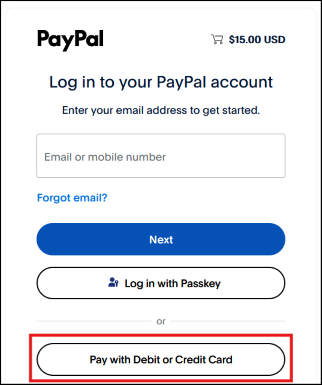
Step #2 – Scroll down and click on the “Pay with Debit or Credit Card” button. |
 |
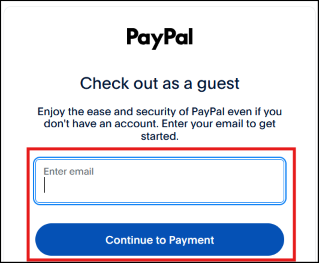
Step #3 – Enter your email address and click on the “Continue to Payment” button. Don’t worry, you are still checking out as a guest. |
 |
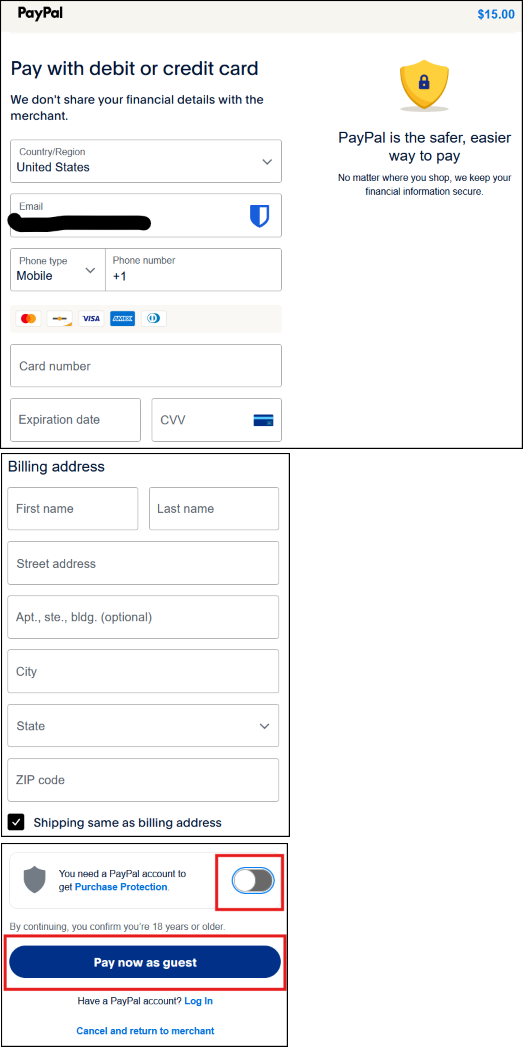
Step #4 – Your email address entered above will now appear on the screenshot below. Enter all your other information, be sure to Turn Off the “Purchase Protection” option, then click on the “Pay now as guest” button. |
 |
Step 5 – You should now see a confirmation screen that your payment has been made. You should also have received a payment receipt email from PayPal. Save this email – it is your proof that you have paid. |
*** Your membership will be processed shortly (usually within a day or two, but it might take up to a week). Once your membership application and payment is processed, you will receive an acknowledgement email from the Membership Committee thanking you for your membership. |